
School Timetable Software : Help
|
|
School Timetable Software : Help |
|
|
|
|
|
|
|
|
 |
||||
 |
||||
|
Movie Input combinations (1.8) |
||||
|
||||
|
|
|
 |
|
|
|
|
|
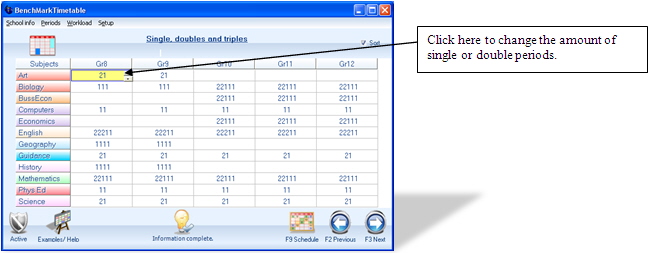
On this screen the user will be prompted to change the allocation of single or double periods. By clicking on the drop down arrow one can choose between the options available. Please note: 22211 = double periods on three days and single periods on two days 11111 = single periods on days 1 to 5 Once done with this window, press F3 or the NEXT to continue… |
|||
|
“Love all. Serve All” |
|||

