|
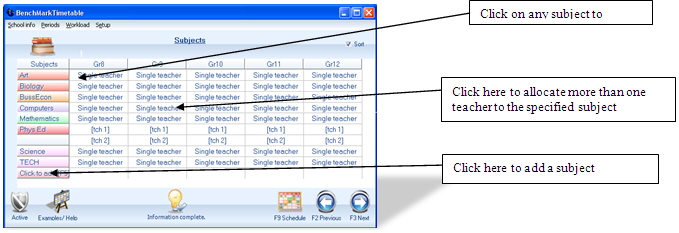
On this screen you are permitted to rename subjects. Changes should be confirmed by clicking on the “Click to add” button.
On this screen one can double-click on the name of a subject or a grade. Left click to open a drop down menu where choices could be made to rename a specific subject, to add a new subject, or to allocate another teacher (simultaneous teaching).
Multi teaching: One can also split a class of learners between a girls and a boys group by clicking on the drop down arrow in the appropriate box. Two teachers will have to be allocated to these classes. This option can be used with great success in subjects like Physical Education and Technology, where learners can specialize in a subject, or where a gender split is needed. For a more unique combination see Subject combinations
When all the necessary changes have been made, one can move on to the next screen, by pressing F3 or the NEXT button.
|